
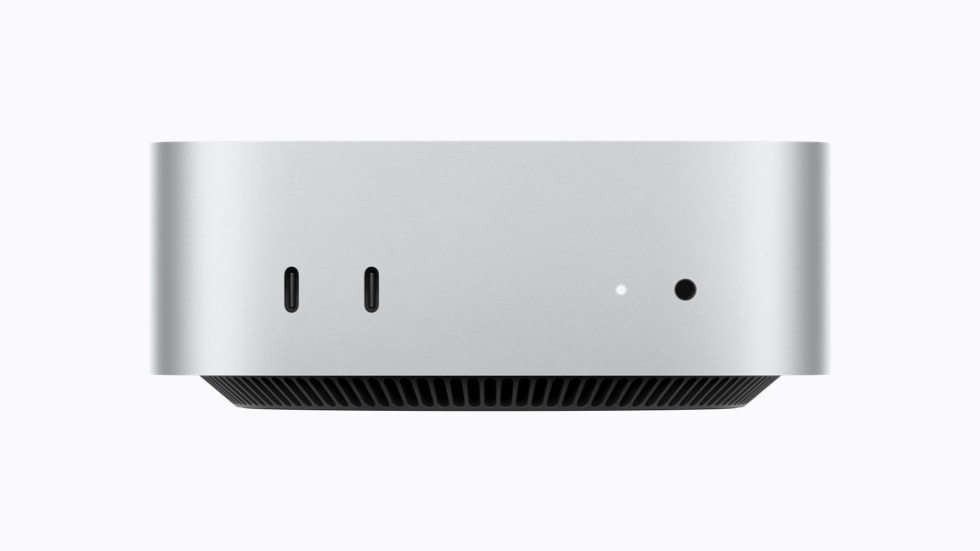
Perplexity Computer can now run its AI model, planning and task execution entirely on a supported Apple-silicon Mac. The useful change is where a job starts: you can choose local processing rather than beginning with a cloud model and handing selected work back to your computer.
That doesn't make every task cloud-free. Perplexity still lets you authorize cloud access for web research, browser use, connected apps and more demanding reasoning. If keeping a particular document on your Mac is the point, that choice deserves as much attention as the new mode itself.
Perplexity's local-mode announcement makes it available to Pro, Max and Enterprise subscribers through its Mac app. It recommends 36GB of memory or more and launches with Qwen 3.6 and PPLX Pro, its adapted Qwen model. With permission, Computer can work with local files and supported apps including Notes, Mail, Messages and Numbers.
Local and hybrid start in different places
The company's earlier Hybrid Compute release combines cloud planning and reasoning with local processing of private information. It specifies Apple-silicon Macs running macOS 15 or later with at least 24GB of unified memory. A privacy gate controls what information can leave the machine.
Those are different hardware statements. The 24GB figure belongs to hybrid mode; the new fully local mode recommends 36GB or more. Don't turn a recommendation into a guaranteed minimum, or assume that any Mac capable of hybrid processing will provide the same experience with a whole task running locally.
Perplexity highlights Apple's recent Mac mini as an example. The M6 and M5 Pro Mac mini announcement covers multiple memory configurations, so the product name alone isn't enough to make a buying decision. Check your actual configuration before considering an upgrade.
Try a contained job before granting broad access
A sensible first test is a folder of copied, nonsensitive documents and one narrowly defined output: compare two drafts, summarize a project brief or turn notes into a proposed checklist. Specify that you want a draft, not messages sent or original files changed. Review the result against the inputs before expanding access.
Keeping processing local answers a data-location question. It doesn't answer whether a summary missed a condition, a spreadsheet change is correct or a proposed reply says what you intended. Make those checks part of your trial rather than treating the execution mode as proof of accuracy.
To begin, Perplexity says to update its Mac app, follow the prompts to download a local model and select fully local for the task. Start with work you can easily verify, keep cloud escalation deliberate, and evaluate the Mac you already own before buying another one.