
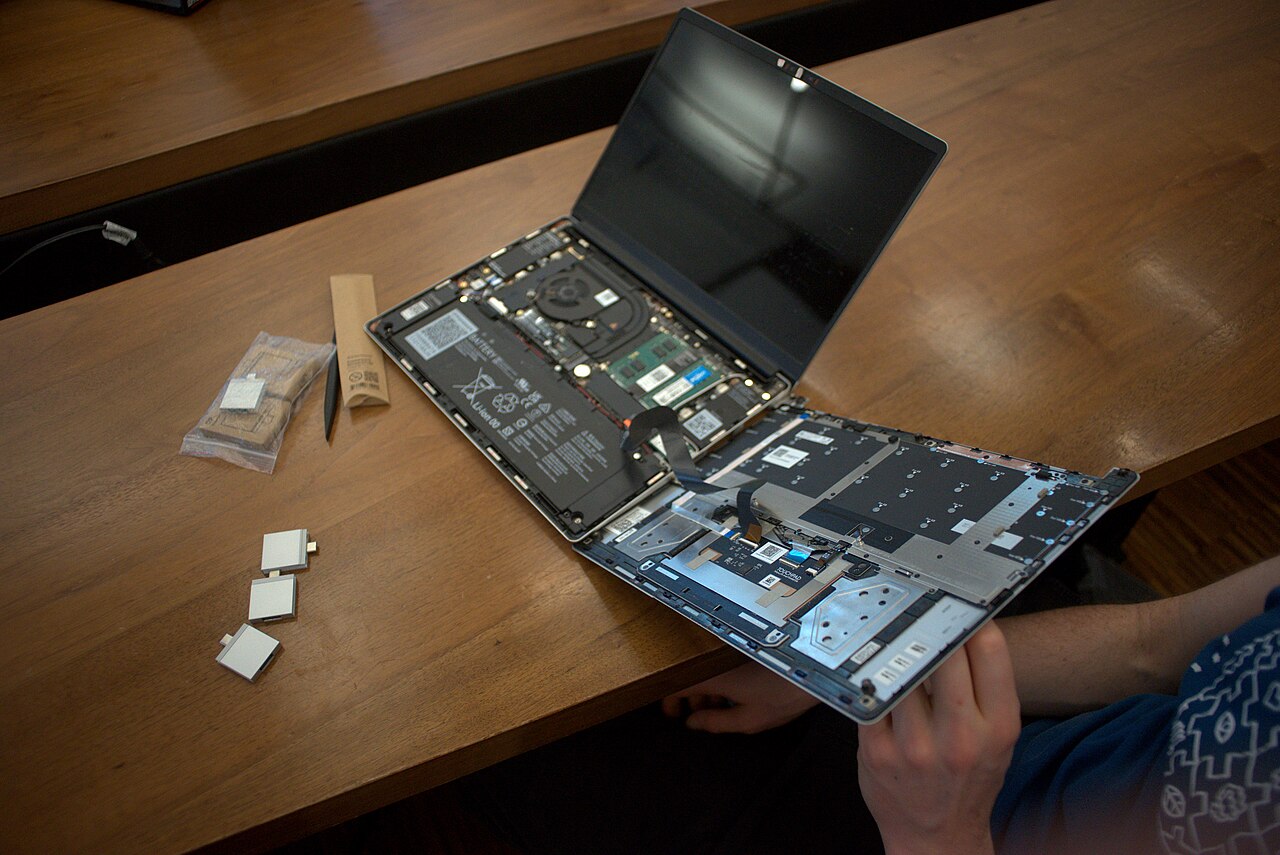
Before treating a laptop as easy to repair, look up one replacement part you might realistically need. Find the version that fits the exact model, read how it is replaced and check how you would obtain it where you live.
My argument is that this small exercise belongs alongside comparing the processor and screen. Repairability becomes useful when you can describe a plausible route back to a working computer. A promising design matters, but it isn't the whole plan.
You don't need to predict every failure or commit to repairing anything yourself. Choose a component that matters to how you use the machine, such as the keyboard, charging connection or display. Then see how far the manufacturer's information takes you before you have to guess.
Follow one part through the system
Start with the model name and generation, not just the laptop family. Save the exact identifier from the product listing you're considering. Use that identifier when looking for a manual or compatible part.
Framework's parts marketplace, for example, provides compatibility filters for different laptop families and generations, alongside separate availability filters. That structure makes an important distinction visible: a component being listed and a component being available are separate questions.
A listing can still be useful when an item isn't currently available. It may help you understand how the machine is divided into replaceable assemblies. But it doesn't establish that you could complete a repair next week, or that the part will remain available years from now.
For your chosen component, note what you actually found: a named replacement, an explicit compatibility statement, a purchasing route and the current availability information. If one is missing, record the gap rather than turning an assumption into a benefit on your comparison sheet.
Also check what comes with the part. A bare component, a larger assembly and a kit with additional materials aren't interchangeable descriptions of the same job. You want to understand the purchase you would be making, not merely find a familiar word in a catalogue.
Read the route, even if someone else does the work
Apple's Self Service Repair guidance begins with the model's repair manual and its required parts, tools and materials. It says some repairs have postrepair software steps, and the manual identifies whether those tools are recommended. Apple describes the program as intended for people with electronics-repair knowledge and experience.
That is a useful reminder to read beyond the order button. For any laptop you're considering, look for the full documented procedure and decide who would carry it out. Reading a manual to understand a service option doesn't oblige you to open the machine.
If you would use a repair shop, ask about the specific model and job rather than whether the shop generally repairs that brand. If you would use the manufacturer, find its service route for your region. Keep an advertised replacement-part price separate from a complete service estimate.
Time matters as well. A repair you can perform eventually may not solve the problem of a computer you need for work tomorrow. Think about what you would use while it is unavailable. For some people, a spare machine or a convenient service location will matter more than doing the replacement personally.
There is a fair objection to this approach: you're buying a laptop to use it, and researching hypothetical repairs can become a project of its own. Availability can change after you've finished the exercise, so today's search cannot guarantee tomorrow's outcome.
Keep the exercise proportionate. Follow one meaningful part, not every screw. The purpose is to learn whether the repair promise has a usable explanation and whether its trade-offs fit your circumstances. It is evidence for a decision, not an insurance policy.
A laptop can still be the right purchase when its repair route is inconvenient. You might value its size, software or display enough to accept that compromise. The benefit of checking is knowing which compromise you're making while you still have other options.
Before buying, save the model identifier, the relevant manual and the part or service page you found. Add a short note about the unresolved questions. That record will be more useful than a broad “repairable” label when you next have to decide how to keep the computer working.